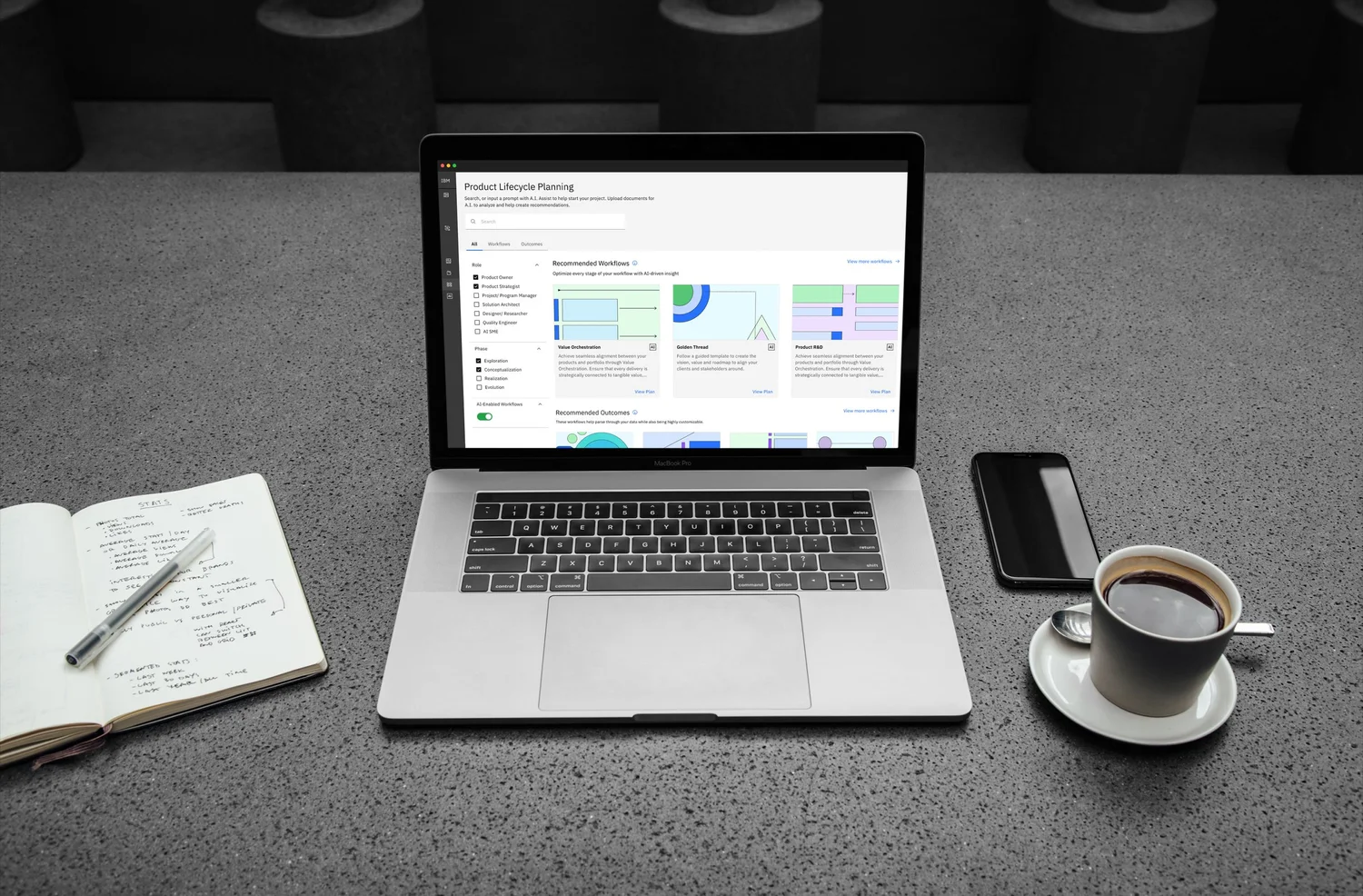
Simplified a complex, multi-flow generative AI platform into a step-by-step experience that required zero user training. Turned an internal innovation tool into something teams actually wanted to use.
IBM Garage had built IGX (Innovation Generation Experience), a generative AI platform designed to help product teams run structured innovation workflows. Data scraping, entity extraction, pain point clustering, idea generation, market fit analysis, and product roadmapping, all powered by AI.
The problem: the platform was built by engineers for engineers. Users faced a wall of configuration options, disconnected workflow steps, and no clear path from "I have data" to "I have a validated product idea." Adoption was low. Teams that tried it needed hands-on training sessions just to get started.
The ask was clear: redesign the experience so that any product owner, strategist, or R&D team member could walk in, select their role, and launch a guided AI workflow without prior training.
I owned the end-to-end product design: information architecture, interaction design, and visual design using IBM's Carbon Design System. I worked directly with the engineering team and product stakeholders to define the UX strategy, then designed every screen from the landing dashboard through individual workflow steps.
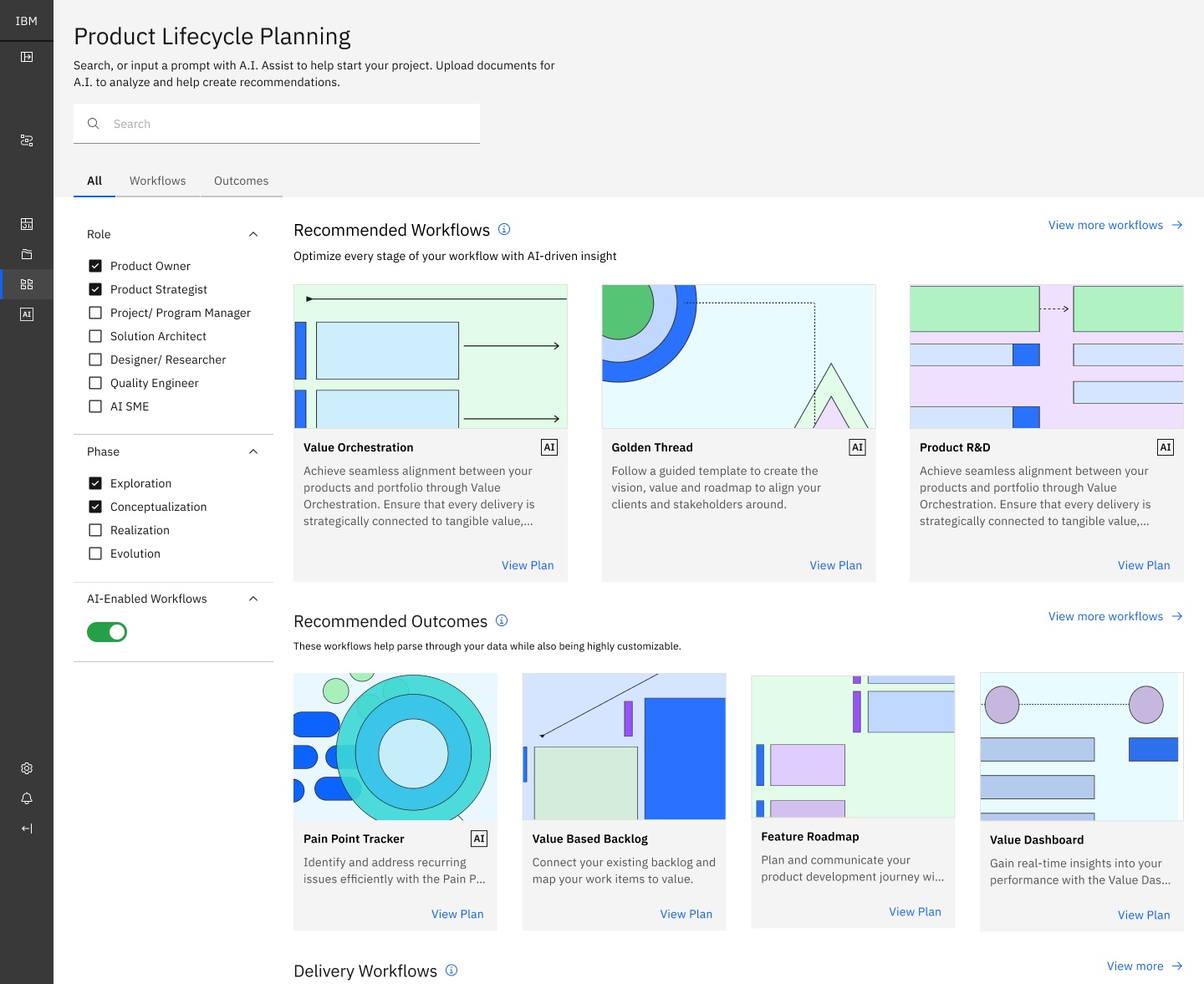
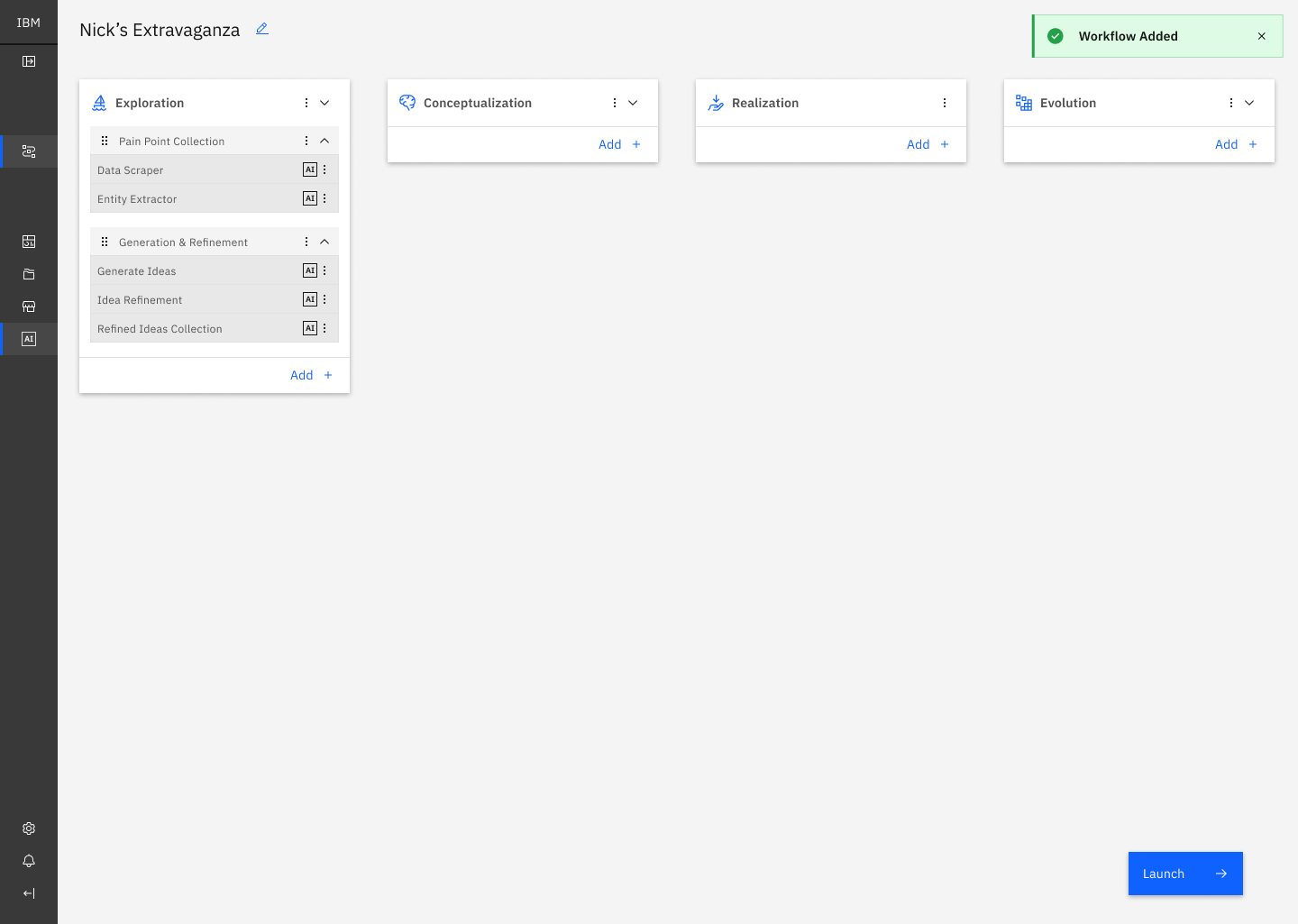
This wasn't just a UI reskin. The fundamental information architecture needed to change. The existing platform presented all capabilities at once. The redesign introduced role-based filtering, phase-based navigation, and progressive disclosure so users only saw what was relevant to their work at each step.
Leading the work. Beyond the design itself, I coordinated stakeholder presentations across product, engineering, and IBM Garage leadership, and aligned executive sponsors on the direction at each milestone. Keeping a generative AI redesign credible at the exec level meant translating design decisions into the business and adoption terms the sponsors needed to hear.
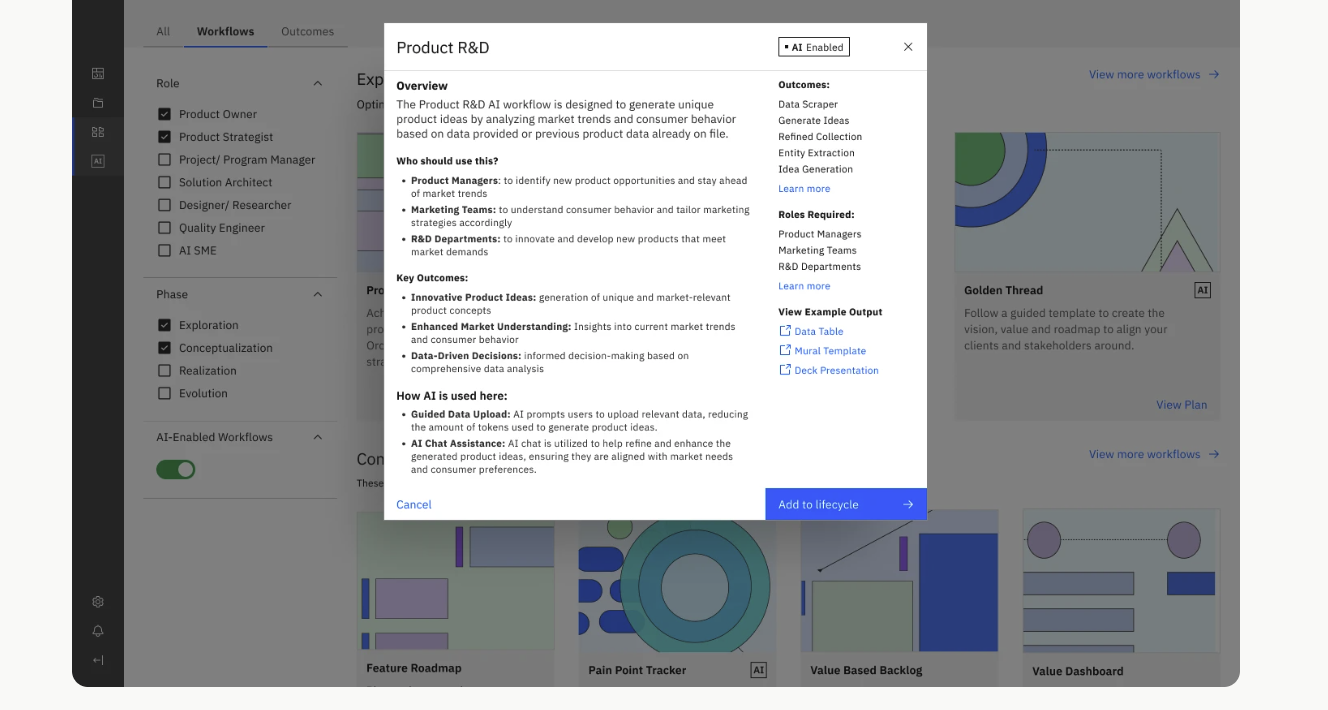
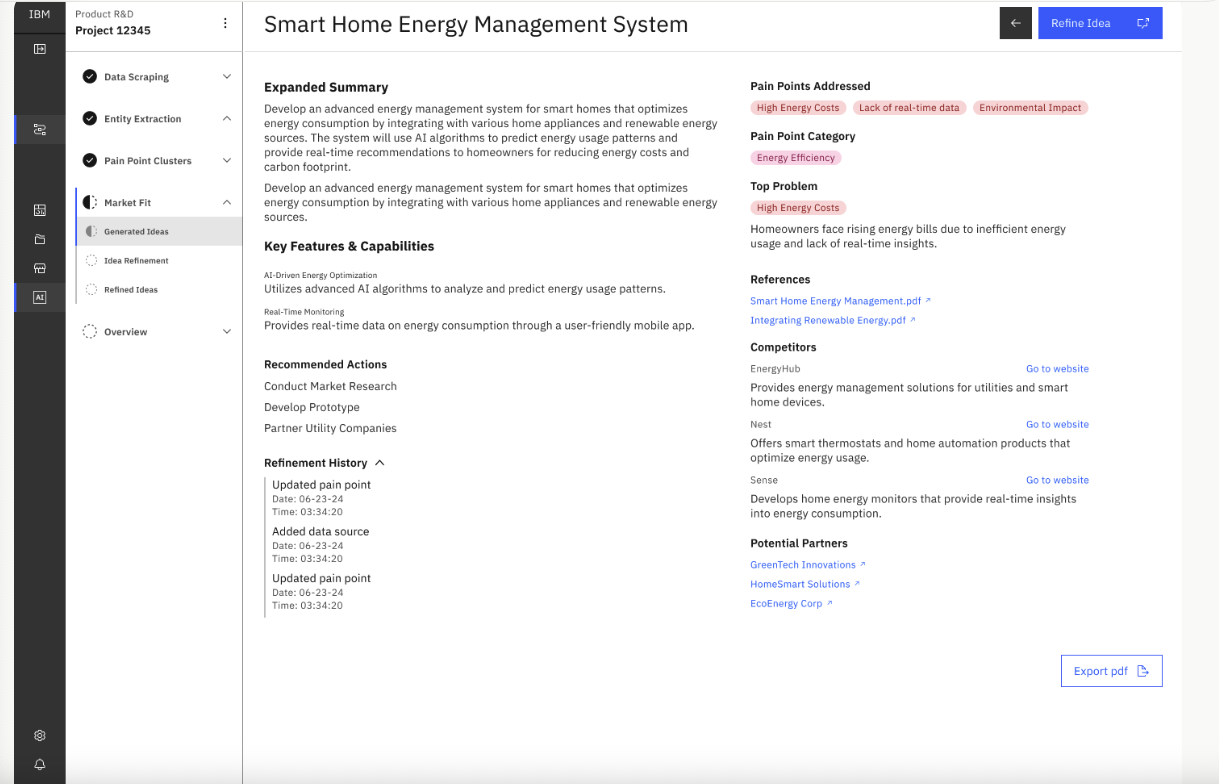
Every screen in IGX carried a heavy information load: workflow modals needed to surface overviews, target roles, AI capabilities, expected outcomes, and example output templates in a single view. Idea detail pages went further with expanded summaries, color-coded pain point tags, competitive landscapes, recommended actions, potential partners, reference documents, and full refinement histories. All of it had to fit within Carbon Design System components without feeling overwhelming.
The solution was a consistent two-column layout with color-coordinated tags and clear typographic hierarchy. The left column walks users through context and capabilities. The right column surfaces structured data: outcomes, competitors, partners, and links. Users can scan without reading everything, and the color system makes related information instantly groupable.
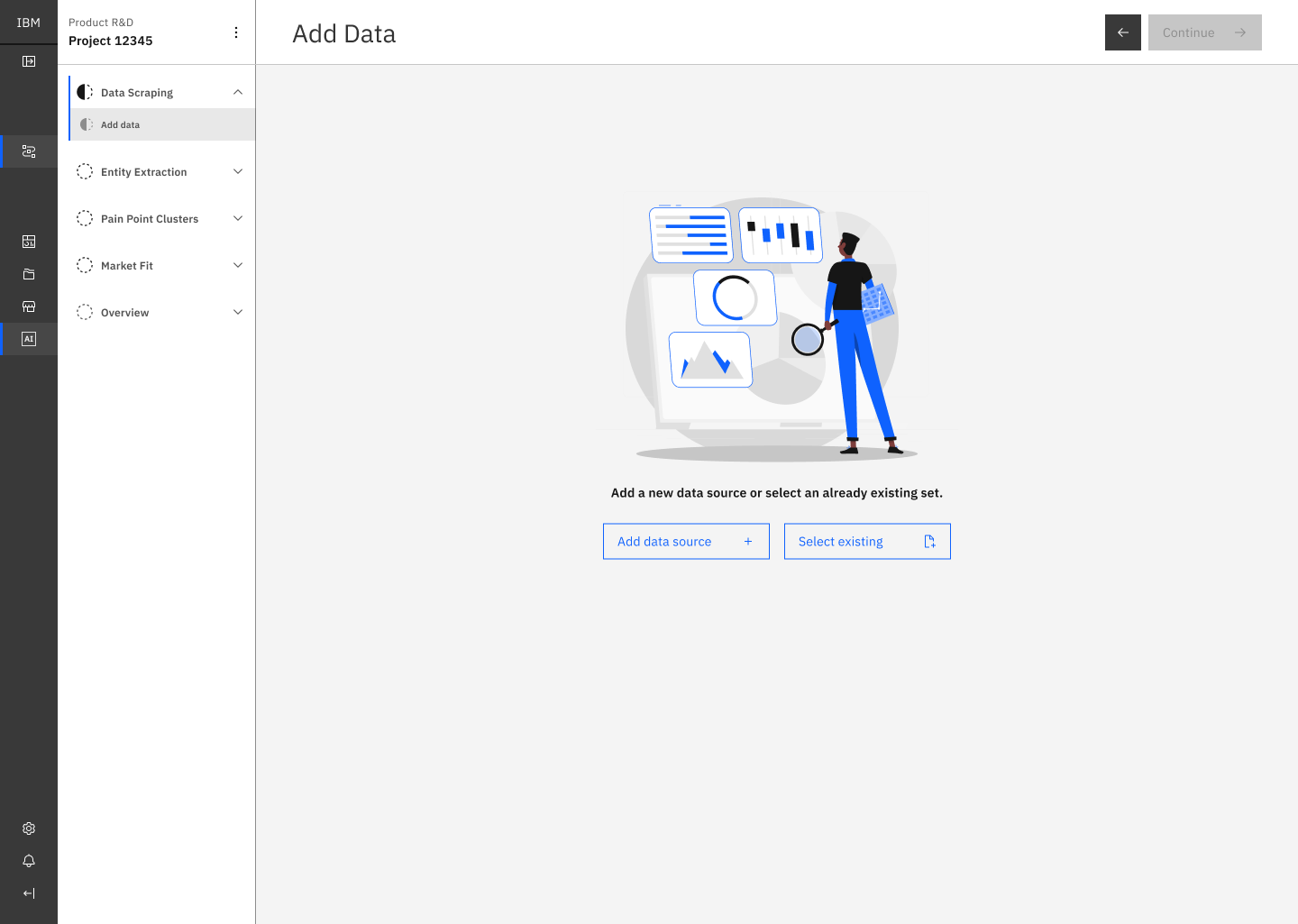
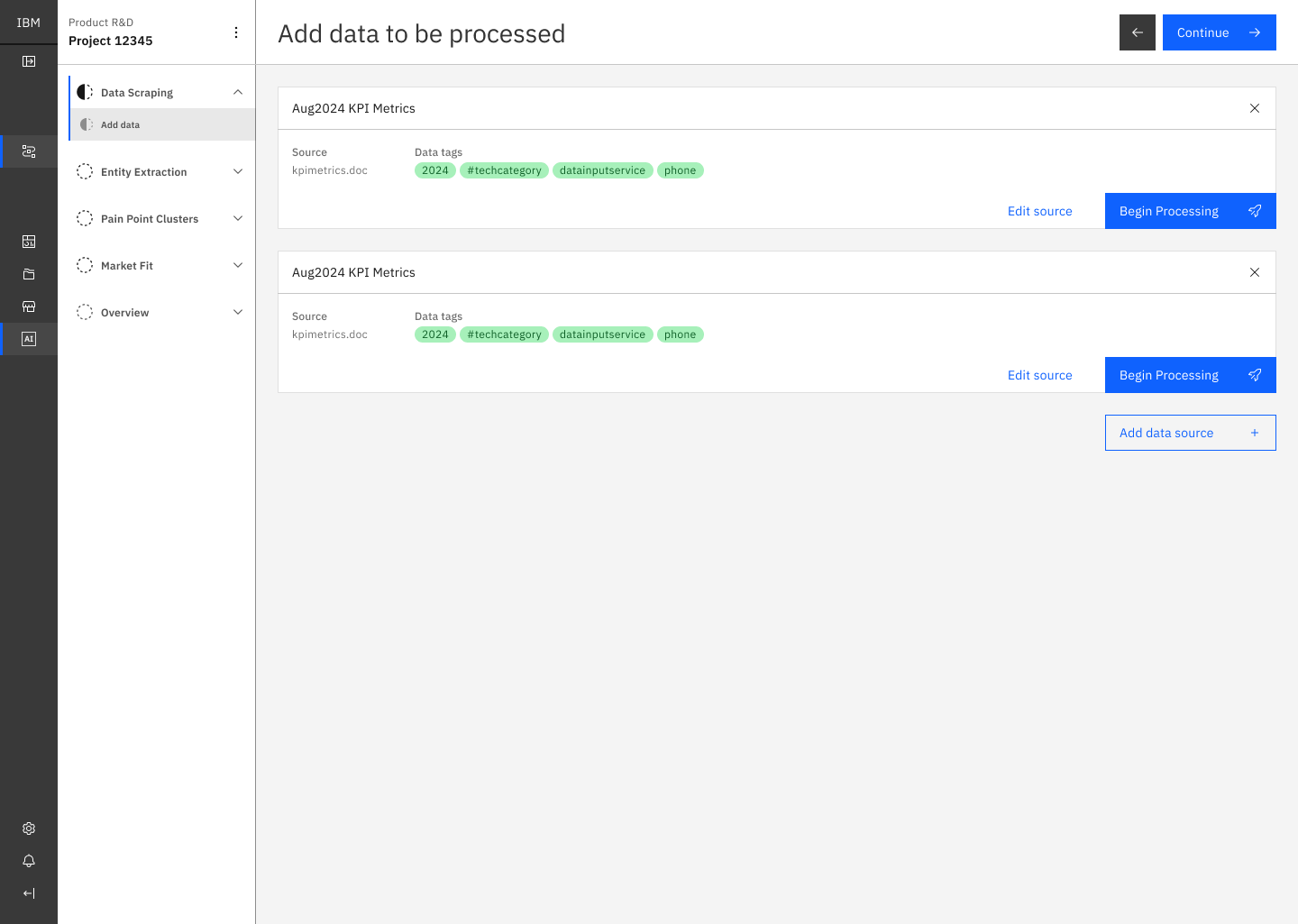
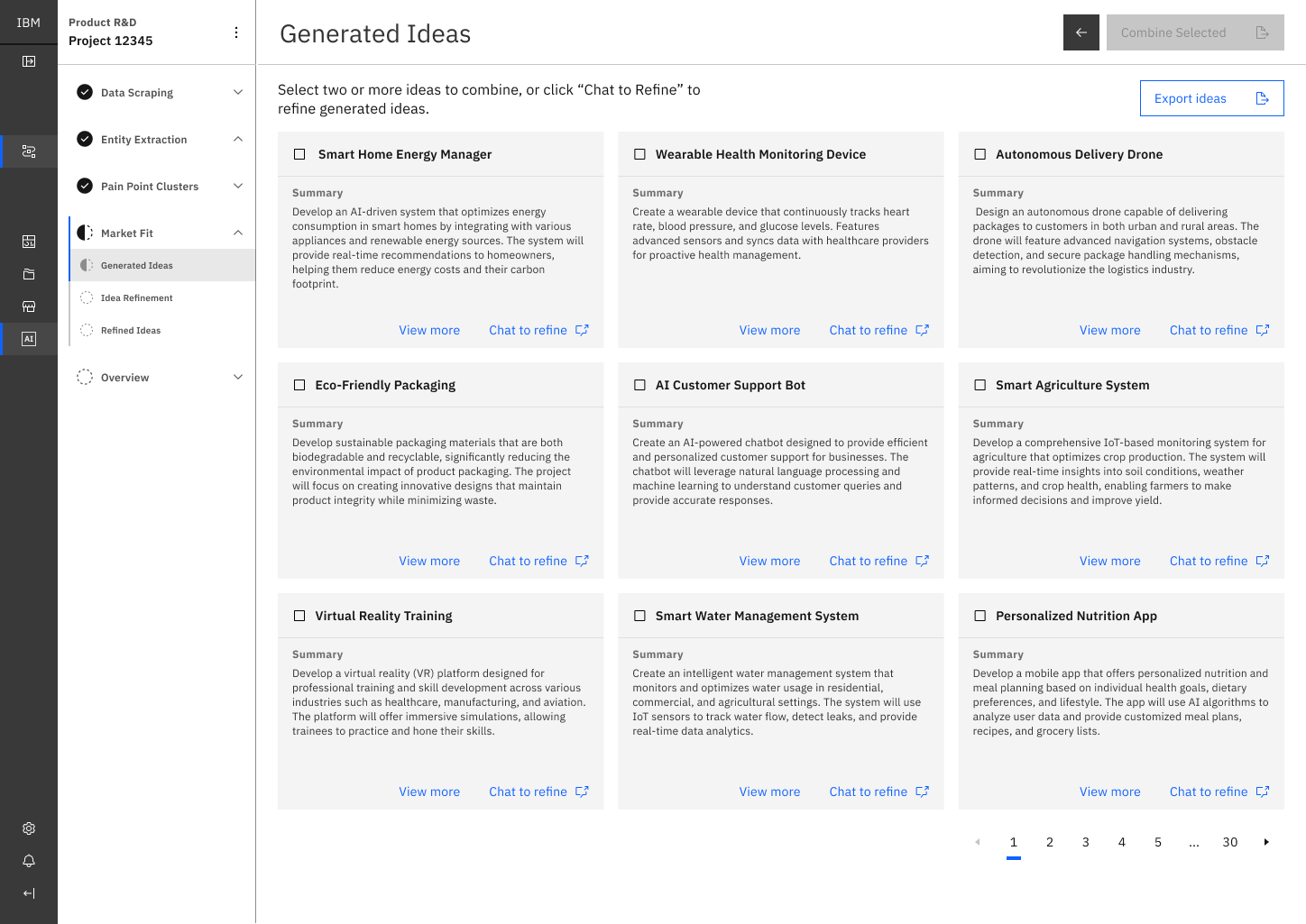
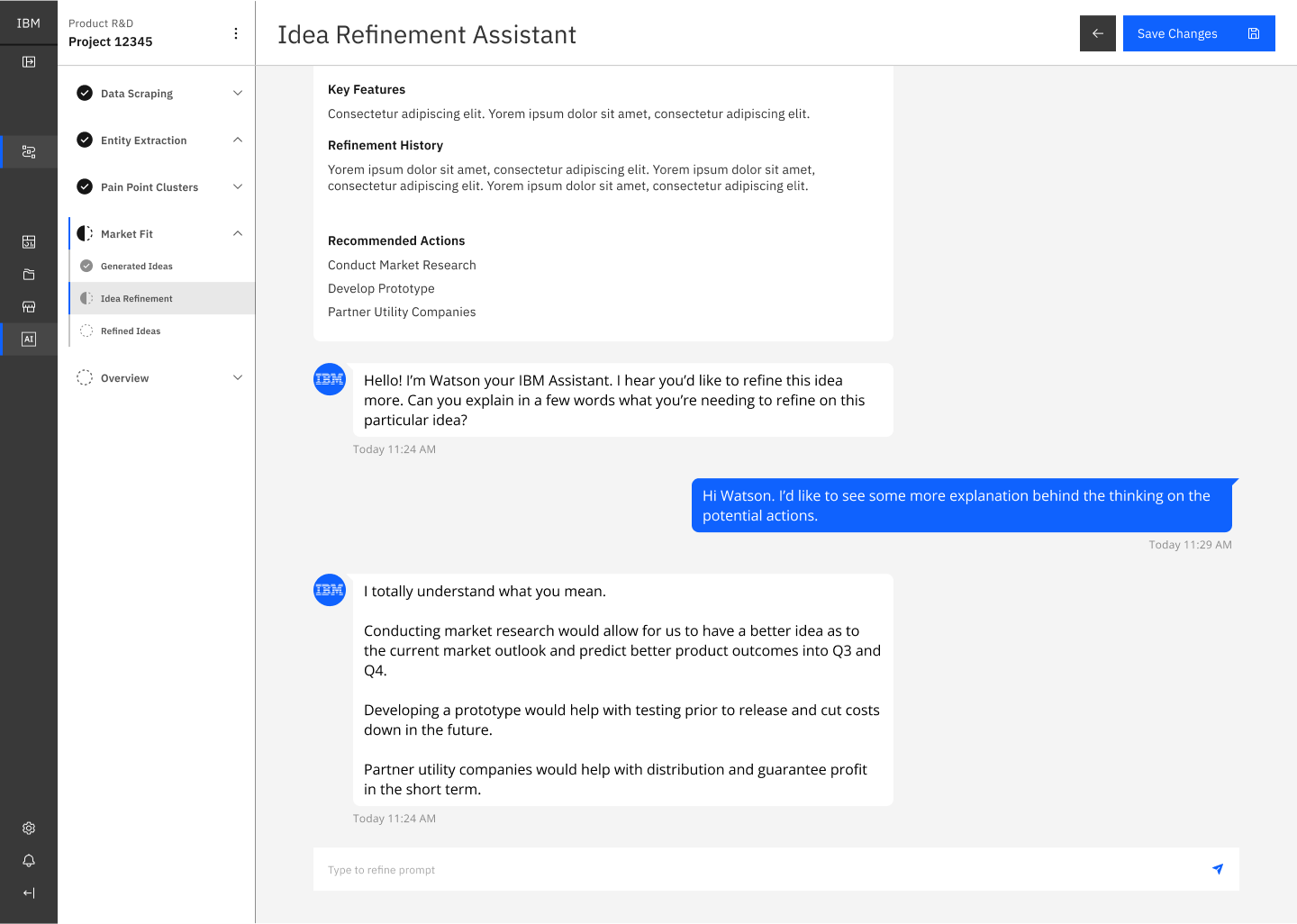
A designer on the team worked alongside me through the engagement. They were still early in their product design career, and IGX was the kind of project that either grows a designer fast or buries them: dense IBM Carbon constraints, generative AI surface area, executive stakeholders, and a shipping deadline.
The practical work we split: they translated meeting notes into initial UX wireframes, produced IBM-branded illustrations for empty states and onboarding, and iterated on UX details under my direction. I reviewed every screen, redlined hierarchy, and paired with them on the harder flows where the IA had to hold up under real use.
The coaching focused on three things. Visual hierarchy — what a user should see in the first half-second of a screen, and how to design for that intentionally. Brand system fluency — how to apply IBM's guidelines the way the guidelines intend, not just the way a quick read of them suggests. Figma craft — auto-layout, variables, and component architecture patterns that save hours on later projects.
By the end of the engagement the designer was shipping work with markedly less direction and had built the confidence to own bigger pieces on engagements that followed. The project got the depth of two designers at different career stages; they got a step change in capability.
The redesigned IGX platform shipped within the 16-week engagement. The step-by-step experience replaced the previous configuration-heavy interface, and teams were able to run AI-driven product research workflows independently for the first time.
The role-based filtering system reduced the number of visible options on the landing screen by over 60%, depending on the user's role and phase selection. The guided flow structure eliminated the need for the facilitated training sessions that were previously required for every new team onboarding to the platform.